
Как подключить firewire к usb
Два наиболее популярных стандартов последовательного соединения это FireWire и USB. Прочитайте эту статью, чтобы узнать, можно ли преобразовать одну форму в другую.
Как вы подключаете устройство к компьютеру? Через порты, конечно. Просто подключите устройство к порту, и подожди минутку, вилка не подходит к разъему! Это может произойти, если вы пытаетесь подключить устройство с интерфейсом FireWire, к USB-порту компьютера. Так в чем разница между ним и USB-портом? Можно ли преобразовать порт FireWire для USB!
Что такое FireWire соединение?
Официальная классификация наименования для FireWire — это интерфейс IEEE 1394. FireWire соединение имеет ту же цель что и USB-соединение: оно присоединяет одно устройства к другому, и позволяет передавать данные в реальном времени. В качестве стандарта 1394 был разработан в 1986 году компанией Apple, которая дал ему название бренда «FireWire». Другие компании, такие как Sony и Texas имеют собственный бренд интерфейса 1394, по имени i.Link и Lynx соответственно.
Что такое USB-подключение?
USB означает «Универсальная последовательная шина». Она является стандартом, используемым для подключения периферийных устройств к компьютеру. Понятие Plug-и-Play появилось благодаря USB спецификации. USB-порты обеспечивают питание подключенного к ним устройства, поэтому для питания прибора, в то время как он используется, внешний источник питания не требуется. Стандарт USB почти уничтожил необходимость последовательных и параллельных портов.
Можно ли конвертировать FireWire в USB?
Ответ во многом нет, по следующим причинам:
- Оба метода используют не только различное оборудование, но различное программное обеспечение. USB устройства работают на протоколе ACK / NAK, а порт FireWire использует протокол DMA передачи. Короче говоря, FireWire работает при постоянной (и быстрой) скорости, в то время как USB отправляет данные в пакетах. Порту FireWire требуется процессор на обеих сторонах передачи данных.
- USB медленнее по сравнению с FireWire. Единственный способ передачи данных может сработать, если вы используете USB 2 или 3, для относительного перехода к порту FireWire. Если, скажем, вы пытаетесь отправить данные из порта FireWire к USB-порту, разница в скоростях может привести к потере данных. В случае с видео, это приведет к потере кадров.
- Энергопотребление обоих портов будут отличаться. Поэтому, один порт будет работать на меньшей мощности, чем другие, вызывая сбой или неправильное использование.
- И конечно, вы просто не сможете подключить кабель FireWire к порту USB или наоборот.
Получение данных от устройств с интерфейсами FireWire по USB
Есть только два легальных способа сделать это. Первым является установка PCI карты с FireWire портом на вашем компьютере. Второй состоит в использовании устройства, которое просто принимает несколько входов от различных устройств и дает выход через кабель USB.
Установка платы PCI:
Плату PCI можно вставить в ноутбук или компьютер и установить. После этого ваш компьютер будет иметь порты FireWire, и высокоскоростное преимущество.
- HDE 7 Port USB Squid Hub ($6)
- Sonnet Technologies USB/FireWire Expresscard 34 ($50)
- IOGEAR Universal Hub GUH420 ($30)
- StarTech 2 Port ExpressCard Laptop 1394a ($45)
- Belkin FireWire 6-Port Hub ($40)
В то время как каждый компьютер имеет USB порты, и они легко идентифицируются, ваш компьютер также может быть оснащен FireWire портом. Лучший способ определить порт FireWire на компьютере, это смотреть на логотип. В настольных компьютерах, все порты расположены на задней панели системного блока. На ноутбуках, порты расположены вдоль по обеим сторонам. Внимательнее посмотрите на порты и может вы найдете порт FireWire, среди прочих.
Использование Video Editing Hardware
Устройство в основном действует как посредник между двумя портами передачи данных, USB, что идет с компьютером, и портом FireWire, который поставляется с устройством фотокамеры. Как аналоговые, так и цифровые типы видео могут быть преобразованы к USB формату. Единственное, что может вас остановить — это цена. Считайте это последней альтернативой, в случае если Вы не имеете дополнительного слота для установки платы PCI.
Существует слишком много препятствий между двумя методами передачи данных. USB-устройства являются наиболее распространенными для большинства типов данных, кроме HD видео. Если вы хотите без потерь передавать данные с вашего камкордера HD на свой компьютер, просто убедитесь, что вы покупаете компьютер, на котором уже есть встроенный порт FireWire, или по крайней мере убедитесь, что есть свободный слот чтобы его установить.
как добавить ноуту Firewire?
http://www.trendnet. /detail/TFU-430
концентратор USB/Firewire. Вот только я не ручаюсь, что подрубив его просто по USB Вы получите возможность использования Fireware. Надо мануал от деавйса прочитать для верности.
#3 ZORRO
- Пол: Мужской
http://www.trendnet. /detail/TFU-430
концентратор USB/Firewire. Вот только я не ручаюсь, что подрубив его просто по USB Вы получите возможность использования Fireware. Надо мануал от деавйса прочитать для верности.
#4 i12runOFF
- Пол: Мужской
- Город: Гора Олимп
#5 Dusty
- Пол: Мужской
- Город: убыл в Мозгву
#6 ZORRO
- Пол: Мужской
#7 Dusty
- Пол: Мужской
- Город: убыл в Мозгву
Спасибо, Дима )))) У нашего одного сотрудника есть такой, как раз брал в Китае в связи с такой же необходимостью как и у меня. Но шнурок работать у него отказывается
#8 ZORRO
- Пол: Мужской
Всяко может быть. Кетайцы отличаются низкими ценами и разнообразием товаров, а вот стабильным качеством пока не отличаются.
Из кетайских онлайн-магазинов могу посоветовать dealextreme.com
#9 i12runOFF
- Пол: Мужской
- Город: Гора Олимп
Рекламный трюк. Пиковая скорость ЮСБ около 32мб/с, хотя теоретически должен аж до 64 доходить. Поэтому через такой переходник получишь именно такую скорость, а значит никакого выигрыша.
Если же нужно просто воткнуть, не важно с какой скоростью, тогда да.
Некоторые умельцы в инете ещё продают под пси-экспресс карты-концентраторы с юсб и файрвайром. После небольших подсчетов выяснил что если карточка не пси-эксп х4 то на ней даже один файрвайр разъем не будет работать в полную силу.
Как подключить firewire к usb
__________________
мои минусовки, заказ аранжировок, песни под ключ — [Ссылки могут видеть только зарегистрированные пользователи. ]
Cubase 9 Pro
Audiotechnika AT4040, AT2050, Steinberg UR28M, Arturia KeyLab 61, MXM RSA-30, Presonus Faderport, Behringer TRUTH B2030A, Beyerdynamic DT770Pro
красавица-жена, 2 сына, 22 дерева, 1 дом, чёрный чай с лимоном.
Пишите и шлите [Ссылки могут видеть только зарегистрированные пользователи. ]
ICQ 132723403
| Меню пользователя Владимир Матвийчук |
| Посмотреть профиль |
| Найти ещё сообщения от Владимир Матвийчук |
Карты пока еще нет, она в проекте, а вопрос задан был для понимания что лучше.
Добавлено через 34 секунды
| Меню пользователя Alexmag |
| Посмотреть профиль |
| Найти ещё сообщения от Alexmag |
FireWire нынче в мамках не делают, хороший контроллер трудно найти. Поэтому их и продают на барахолках за треть цены. Интерфейс для знающих ему применение и умеющих.
Надёжнее и быстрее всего — PCI-E. Alexmag, сколько каналов Вам нужно завести/вывести? 2? 8? 32? Может, USB справится?
__________________
мои минусовки, заказ аранжировок, песни под ключ — [Ссылки могут видеть только зарегистрированные пользователи. ]
Cubase 9 Pro
Audiotechnika AT4040, AT2050, Steinberg UR28M, Arturia KeyLab 61, MXM RSA-30, Presonus Faderport, Behringer TRUTH B2030A, Beyerdynamic DT770Pro
красавица-жена, 2 сына, 22 дерева, 1 дом, чёрный чай с лимоном.
Пишите и шлите [Ссылки могут видеть только зарегистрированные пользователи. ]
ICQ 132723403
| Меню пользователя Владимир Матвийчук |
| Посмотреть профиль |
| Найти ещё сообщения от Владимир Матвийчук |
| Меню пользователя Shishman |
| Посмотреть профиль |
| Найти ещё сообщения от Shishman |
Может и не делают, но я вот одну нашел [Ссылки могут видеть только зарегистрированные пользователи. ] , опять вопрос стоит в надежности и оптимальности.
По каналам 2/4 хватило бы.
Насчет PCI-E, да задумывался.
RME HDSPe AIO или RME 9632 — мне кажется устаревшая технология.
Lynx Two — тоже самое, да и ценник у вышеупомянутых не гуманный.
ESI Juli@ XTe — что то останавливает, то ли отзывы, то-ли еще что.
E-MU 1616M PCI — уже не выпускают, да и вопрос соотношения цены/качества.
PCI-E в хорошем соотношении цена/качество не нашел!
Может быть вы с чем-то сталкивались, работали?
| Меню пользователя Alexmag |
| Посмотреть профиль |
| Найти ещё сообщения от Alexmag |
RME HDSPe AIO — как раз то, что нужно. Никаких устаревших тенологий.
RME 9632, Lynx Two, E-MU 1616M PCI — это не PCI-E. Это PCI; они тоже хорошие, но не на каждой новой мамке заведутся.
Рекомендую ESI ESP1010e. Немного излишняя по кол-ву ин/аут, но демократичная по цене.
__________________
мои минусовки, заказ аранжировок, песни под ключ — [Ссылки могут видеть только зарегистрированные пользователи. ]
Cubase 9 Pro
Audiotechnika AT4040, AT2050, Steinberg UR28M, Arturia KeyLab 61, MXM RSA-30, Presonus Faderport, Behringer TRUTH B2030A, Beyerdynamic DT770Pro
красавица-жена, 2 сына, 22 дерева, 1 дом, чёрный чай с лимоном.
Пишите и шлите [Ссылки могут видеть только зарегистрированные пользователи. ]
ICQ 132723403
| Меню пользователя Владимир Матвийчук |
| Посмотреть профиль |
| Найти ещё сообщения от Владимир Матвийчук |
RME HDSPe AIO — как раз то, что нужно. Никаких устаревших тенологий.
RME 9632, Lynx Two, E-MU 1616M PCI — это не PCI-E. Это PCI; они тоже хорошие, но не на каждой новой мамке заведутся.
Рекомендую ESI ESP1010e. Немного излишняя по кол-ву ин/аут, но демократичная по цене.
| Меню пользователя Alexmag |
| Посмотреть профиль |
| Найти ещё сообщения от Alexmag |
__________________
мои минусовки, заказ аранжировок, песни под ключ — [Ссылки могут видеть только зарегистрированные пользователи. ]
Cubase 9 Pro
Audiotechnika AT4040, AT2050, Steinberg UR28M, Arturia KeyLab 61, MXM RSA-30, Presonus Faderport, Behringer TRUTH B2030A, Beyerdynamic DT770Pro
красавица-жена, 2 сына, 22 дерева, 1 дом, чёрный чай с лимоном.
Пишите и шлите [Ссылки могут видеть только зарегистрированные пользователи. ]
ICQ 132723403
| Меню пользователя Владимир Матвийчук |
| Посмотреть профиль |
| Найти ещё сообщения от Владимир Матвийчук |
| Меню пользователя Alexmag |
| Посмотреть профиль |
| Найти ещё сообщения от Alexmag |
__________________
мои минусовки, заказ аранжировок, песни под ключ — [Ссылки могут видеть только зарегистрированные пользователи. ]
Cubase 9 Pro
Audiotechnika AT4040, AT2050, Steinberg UR28M, Arturia KeyLab 61, MXM RSA-30, Presonus Faderport, Behringer TRUTH B2030A, Beyerdynamic DT770Pro
красавица-жена, 2 сына, 22 дерева, 1 дом, чёрный чай с лимоном.
Пишите и шлите [Ссылки могут видеть только зарегистрированные пользователи. ]
ICQ 132723403
| Меню пользователя Владимир Матвийчук |
| Посмотреть профиль |
| Найти ещё сообщения от Владимир Матвийчук |
| Меню пользователя msn_66 |
| Посмотреть профиль |
| Найти ещё сообщения от msn_66 |
| Меню пользователя Alexmag |
| Посмотреть профиль |
| Найти ещё сообщения от Alexmag |
Если Alexmag смотрит в сторону PCI-E, то скроее всего, у него не лэптоп.
Добавлено через 3 минуты
Alexmag,
Я ничего не ищу, я уже нашёл 🙂 А Вам я дал точные места, где они есть. Указывайте место жительства в профили, и не будет непонимания.
Да, свою 1010е я продал в Волгоград, и жалею об этом. Захотелось мониторный контроллер в карте вместо отдельного и интеграции с Кубейсом — взял UR28m. Но какая ж маленькая задержка была в 1010е.
__________________
мои минусовки, заказ аранжировок, песни под ключ — [Ссылки могут видеть только зарегистрированные пользователи. ]
Cubase 9 Pro
Audiotechnika AT4040, AT2050, Steinberg UR28M, Arturia KeyLab 61, MXM RSA-30, Presonus Faderport, Behringer TRUTH B2030A, Beyerdynamic DT770Pro
красавица-жена, 2 сына, 22 дерева, 1 дом, чёрный чай с лимоном.
Пишите и шлите [Ссылки могут видеть только зарегистрированные пользователи. ]
ICQ 132723403
How to Connect Firewire Devices To USB C or Thunderbolt 3 Port
Connecting Firewire Devices such as audio interfaces to USB C or Thunderbolt 3 port needs you to use two types of adapters together, 1st Firewire 800 adapter Thunderbolt 1/2 adapter, and 2nd Thunderbolt 1/2 or USB C to Thunderbolt 3 adapter.
If you have a device that only supports Firewire 400 then you also need Firewire 400 to 800 adapter. You can join them to convert audio signals from Firewire to USB C.
In this article, I will show you how to do this properly for both Mac and Windows computers.
To resolve your query, you should read this article till the end.
Table of Contents
How to Connect Firewire To USB C
Have you ever used Firewire audio interfaces?
Most of them are now outdated and retired from the recording studios. Maybe the upcoming versions of DAWs won’t support them as well.
However they are NOW not an ideal choice for recording studios, some of them are still considered very good even by modern standards.
SUCH AS, MOTU 896 Firewire is known as a legendary audio interface when it comes to conversion quality. It has a great ADA converter chip that adds depth and an analog feel to the audio recorded in this audio interface that actually we as recording engineers are seeking.
Disclosure: This post may contain affiliate links, which means we may receive a commission if you click a link and purchase something that we recommended. Read more about Affiliate disclosure here.
Please enable JavaScript
EVEN, I have one piece in my studio.
BUT, what if you want to upgrade your Mac PC or a Windows computer to the latest hardware and software? The problem is there is no Firewire output in the latest Mac computers.
Well, solutions are there.
You can easily connect your Firewire audio device to the latest iMac or 2023 additional Macbook Pro with the help of certain adapters.
BUT, not all Firewire to USB-C adapters is compatible with the new iMac. So in this guide, you will learn how to connect Firewire to USB C in audio devices.
Tip: If you want to know more about USB-C you can refer to PCmags article on USB-C.
That’s the reason you should read this guide till the end.
Firewire To USB C or Thunderbolt 3 On iMac and other Apple computers
This process is done by one of my friends who had tried to connect his MOTU 896 Firewire with his latest edition iMac.
He researched a handful of adapters by purchasing and returning them on Amazon and other marketplaces and finally got the audio interface working smoothly.
- A Firewire 400 to 800 adapter which supports Apple computers. (Only if you have a Firewire 400 device because there is no adaptor available for Firewire 400 to USB C).
- A Firewire 800 to Thunderbolt 2 adapter should also support Apple computers.
- Apple Thunderbolt 2 to Thunderbolt 3 USB-C adaptor.
These 3 adaptors will make your life a lot easier with Fire-wire audio interfaces and Apple computers.
Here are 2 tutorial videos on how to use those 3 adaptors to get the system to work properly.
How to Connect Firewire To USB-C in Windows Computers
As thunderbolt connectors and cables work with USB C ports we can use the same process in Windows. So, just like Apple computers, we need 3 things to connect Firewire devices to Windows computers.
- A Firewire 400 to 800 adapter (Only if you have a Firewire 400 device). It can be of any brand.
- A Firewire 800 to Thunderbolt 2 adapter
- Thunderbolt 2 to Thunderbolt 3 USB C adapter
Now follow the below video tutorial to connect your Firewire audio interface with a Windows computer via Thunderbolt 3 port.
Actually, I have the latest Windows laptop with a Thunderbolt port and got this technique worked successfully on this.
The Motu 896 Firewire is successfully connected to my computer’s Thunderbolt port without any data loss and connection errors.
However, Thunderbolt USB-C ports are much faster than Firewire ports you should not expect the speed you get with the Thunderbolt device.
BUT, when you are struggling to connect your old Firewire devices with thunderbolt-only computers, such as iMac, Mac Pro, and other Mac-based devices then this technique works great.
What is USB C?
USB C is the latest version of USB ports among the 7 generations of USB.
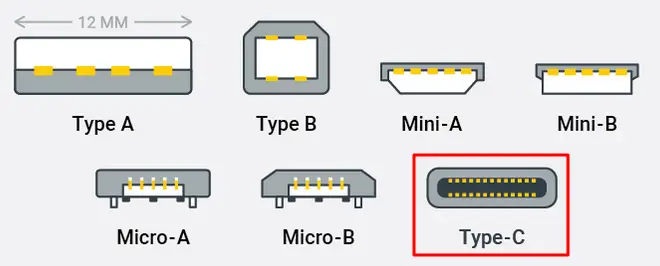
Source: OnLogic
Apart from USB-2, it has oval shape connector which is easier to connect with USB-C compatible devices.
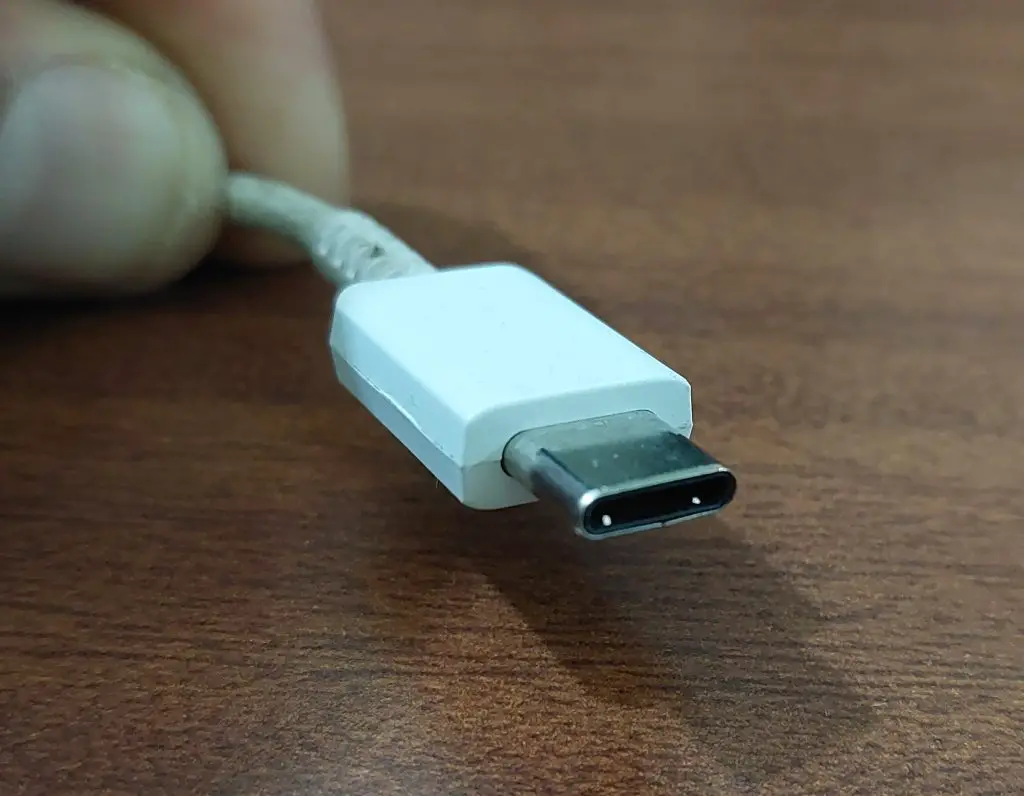
One of the best things about USB C is, unlike other USB connectors, you can use the connector in a symmetrical way like from both the up and downsides.
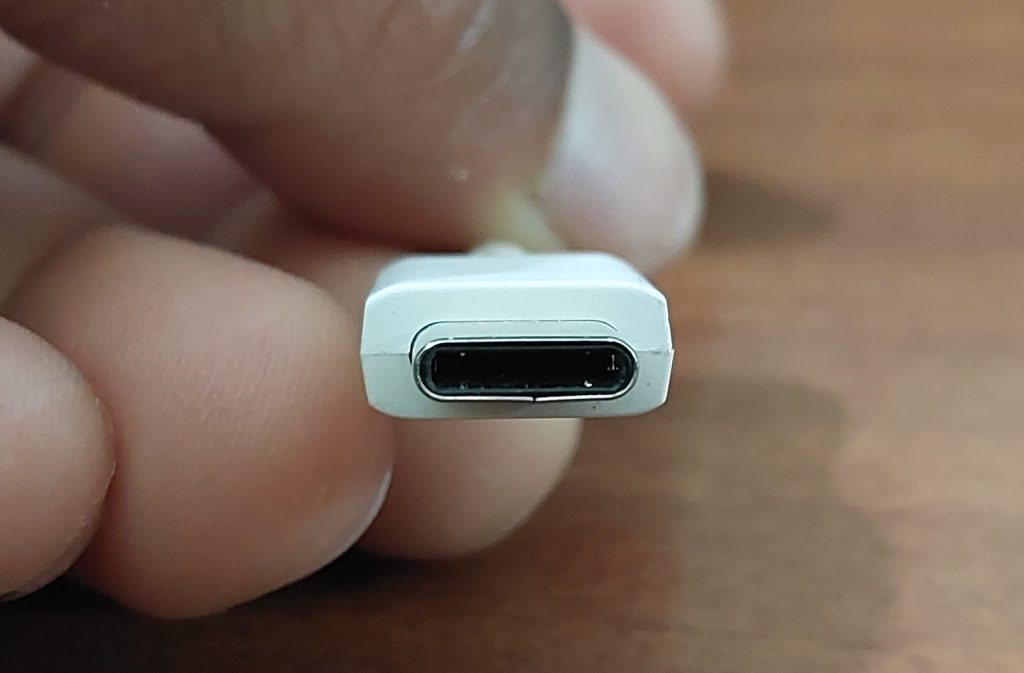
USB-C is now used in most digital devices such as gaming consoles, mobile phones, and laptops.
USB-C data transfer rate
- If USB C connector is connected to USB 3.1 port, it is capable of transferring 10GBPS.
- If you connect the USB-C connector to USB 3.2 port then it can transfer data upto 20GBPS.
What is Thunderbolt 3
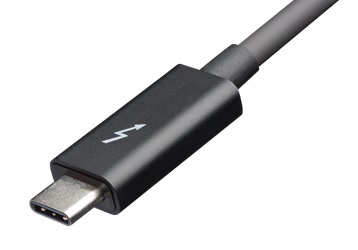
Thunderbolt 3 is the latest version of the Thunderbolt, exclusively used in Apple devices.
Where Thunderbolt 1 and 2 required an external power source to operate in active mode, thunderbolt 3 can operate in both active and passive mode.
In passive mode, thunderbolt 3 provides a top speed of 20Gbp, while the active Thunderbolt 3 cables provide 40Gbps speed.
Thunderbolt 3 can be used for several types of data transfer works and also works with USB-C devices. Even USB-C Cables can be used as Thunderbolt 3 as long as you use good-quality cables.
Most USB-C devices can be used with a Thunderbolt 3 cable so you can use USB-C audio interfaces like Motu M-4 with any device that has a thunderbolt-3 connection.
But, Thunderbolt 3 devices can not be used with USB-C ports as they use discrete Thunderbolt chips to function.
As Thunderbolt 3 and Thunderbolt 4 are exclusive products of Apple so you will not find Thunderbolt ports in Windows devices.
But, you can use Thunderbolt cables with USB C ports.
FAQ: Firewire Audio Interface to USB C
Can I get lossless audio quality in Firewire to Thunderbolt 3 USB-C connector?
It depends on the data transfer load. If you transfer data more than the capacity of Firewire capacity then the quality will lose. Below the data threshold, there is no quality loss.
What is the price of Firewire to Thunderbolt 2 USB-C connector?
Firewire to Thunderbolt 2 adaptors are sold by Apple. This costs anywhere between $25 to $100.
How do I connect FireWire 400 to Thunderbolt?
I have already shown above how to connect FireWire 400 to Thunderbolt.
How can I use the legacy Firewire audio interface devices on a USB-C port?
You can use legacy Firewire audio interface devices on a USB-C port through FireWire to USB-C connectors.
Conclusion
Audio recording technology is continuously evolving over time. Decades back, the system was in the analog domain.
Then digital audio recording technology was born.
Especially, in device connectivity, we’ve seen 7 major generations.
The first data transfer port was USB 1.1 and now we are using a Thunderbolt 3 USB-C connection.
Every generation provided us with more speed and data accuracy.
BUT, with time our favorite hardware becomes outdated just only because of connectivity upgrades.
These types of techniques however help us a lot in using our old devices with the latest computers.
I hope this tip helped you in connecting your old Firewire audio interface to the latest computer with a Thunderbolt 3/USB-C port, USB C/thunderbolt 3 to Firewire 400, or Firewire 400 to USB C/thunderbolt 3 devices.
Don’t forget to share this tip on your social media channels to help others.
You may also like to read,
You Might Also Like:
Boom Mic Vs Shotgun Mic: Are They Different?
Can You Use a Thunderbolt 2 Audio Interface With a Thunderbolt 3 Device?
How To Make Your Home Studio Sound Professional
Types of MIDI Cables and Connectors
21 thoughts on “How to Connect Firewire Devices To USB C or Thunderbolt 3 Port”
I will note that a USB type C connector can fit both a USB type C port and a thunderbolt3 port. and the thunderbolt 2 to 3 adapter is not USB-C unless I am mistaken and Apple actually made one of those but I don’t think they did. USB-C is both awesome and really annoying because it combines so many different things like HDMI, thunderbolt, USB, display port not into one port but into one port with multiple protocols. And if your device doesn’t support the protocol your other device has……..
those are some great videos, I’ve had a few chats in the comments.
Hi!
Thank You for this article. I want to buy new M1 Mac and I use MOTU 896HD with firewire port. Should I expect any MOTU drivers issues after connection with your method?
It all depends on the hardware you are connecting to. Basically, this method works with all firewire devices.
That could be a problem. M1 macs need drivers designed specifically for M1, and unless MOTU has ported the M1 drivers specifically over to M1 *AND* apple has ported firewire-over-thunderbolt , you might be out of luck.
Welcome to the world of planned obscelessance. And its a damn shame, I have some really nice firewire gear too.
Stuff not made for the M1 runs fine with an emulation technology called Rosetta 2. This includes VST’s and interface drivers. Apple did a great job carrying mission critical into their future, Planned obscelessence is a boogeyman.
Nice article, very helpful. Would this work if coonect to Thunderbolt 3/USB C hub or should connected straight to the Mac?
Connect straight to Mac
I’ve been able to use my Rme Fireface 400 with this method, but everytime I restart the computer I need to unplug and then replug the adapter in order for windows to see it.
Do you have the same problem?
May be it’s adapter’s problem. Change the adapter
I have an ancient EZQuest Firewire external hard drive, which I never use but always expected I would be able to use with my current iMac 2020 27 Inch desktop by using the correct adapter. You mention “audio” connections but not just connecting any Firewire device. Is there any solution to my problem? I have some digital photos on that drive that I haven’t stored elsewhere. Thanks for all your help on this.
Jim Haberman
Firewire to USB C Converters work well with all firewire devices, but I suggest you to first checkout the details of that firewire-USB C adaptor on Amazon along with the customer reviews, their official websites, review websites and forums before buying.
Hi,
I tried your setup using Thunderbolt 2 to thunderbolt 3 USB-C + Thunderbolt 2 to Firewire 800 + F800 to F400 cables with my Dell G3 3500 laptop running under windows 11. I want to be able to use my Echo Audiofire 12 Audio interface on it.
It happens to behave not correctly. When i try to read a wav file on bandcamp or Ableton. I get a glitch sound for 1 second then nothing anymore.
I can see Ieee 1394 Controller (coming from Thunderbolt 2 to Firewire 800 cable) and the correct Echo Audiofire 12 peripheral under configuration panel.
But things goes wrong somewhere. Does anybody experimented same issue or have any idea of what i could miss or did wrong ?
Thanks, seems to work on my MOTU 896HD to win11. Cheers, Leslie
hi there, i have a motu 896 mk3, not hybrid, and was working super well on an old mac til i died basically. i got a “new” second hand machine but its running OS monterey and have all the dongles to connect it, i realise the drivers will be an issue as they were only issued until OS 10.14. any way around this? thanking everyone in advance.
HI, I have been having a similar issue. Try not to update the OS beyond Monterey 12.4. See this link for the correct driver to download. That forum will also be discussing issues in the future beyond 10.4.
(I have installed the driver but not, as yet, launched my MKII Firewire.)
I was doing just fine with my 2013 MacBookPro connected to 2 ADAT Light-piped MOTO 8Pre s that only have firewire 400 ( dongle adapter into thunderbolt port on the MacBookPro) until I updated to OS Big Sur. MOTU TechLink reply is that High Sierra was the last OS that would support FireWire. I’ve been trying to FIND High Sierra to download to a portable drive that I could boot from, but I can’t find a copy of High Sierra. . TechLink also said I could buy another current MOTU 8 Pre that has USB to the MacBookPro. I could still ADAT to one of the older 8Pre s. Not going that route.
this is great! I have an old M-AUDIO sound device that has 6-pin Firewire. But my mac does not have USB-C. I only have the USB-B. I can not find an adapter that would seem to work. The ones on Amazon have bad reviews that say they will fry your USB port.
Hi there, I have an M-Audio ProFire 2626 that I tried this set up with the dong;ed to my thunderbolt 3 on my macbook, but it wouldn’t show up – I tried installing the latest mac os drivers I could find for the profire 2626 but it wouldn’t let me install them as I’m running Mac OS 11+ and I believe the drivers are only supported upto MAC OS 7. So Can’t get it to recognise my Profire. Did you manage to get it to work? Anyone out there know how I can get my audio interface to work? I also have 2 Profire2626’s hooked up as well as a Behringer ADA8000 which gives me 24 XLR inputs (Not that I need that many). I am considering building a new Windows 11 machine and trying these dongles on that – Does anyone see any issue with the M-Audio Profire 2626’s working on Windows (Since I cant install the drivers on my version of my MAC OS)? Help!
I setup a Orpheus Firewire soundcard with:
– A Firewire 400 to 800 cable.
– A Firewire 800 to Thunderbolt 2 adapter.
– Apple Thunderbolt 2 to Thunderbolt 3 USB-C adaptor.
Using 11th intel PC with Thunderbolt 4 port and Windows 10. All adaptors are Apple originals.
– The Soundcard works perfect and solid.
– An issue come off when i switch off the computer. – The PC don’t connect the soundcard when i switch on the computer. I have to reconnect the adaptors to USC – C Thunderbolt 4 port.
– If i reboot the computer with the soundcard working the computer keeps the soundcard working. The issue come off only when switch off the computer.
Do you know how to fix the issue?
Thank you in advance.
If anybody already sorted out this please comment.
Why does nobody try to connect their Mini DV camcorder port to a laptop’s HDMI port ?
It seems perverse to focus on the universal natures of USB-C and Thunderbolt (which are used for printing, disk mounting, Apple pencil etc.) when HDMI is designed for audio-visual connections !!