
Factorio Blueprints Guide: Creation, Use, Import, Export, Tips
Blueprints in Factorio are a crucial game mechanic that saves the player a ton of time. With the help of blueprints, you can save an already completed construction and then reproduce it without any trouble anywhere else.
When a blueprint is used, a semi-transparent model appears on the ground, according to which the player can manually place all the components. However, if a blueprint is used within the reach of worker drone stations, the construction will be automatically built by drones provided that the necessary materials are available in the logistics network.
In this brief guide, you will learn how to use blueprints in Factorio.
Basic Blueprint Book
Blueprints in Factorio are stored in a Blueprint Book. It can be opened with the “B” key.
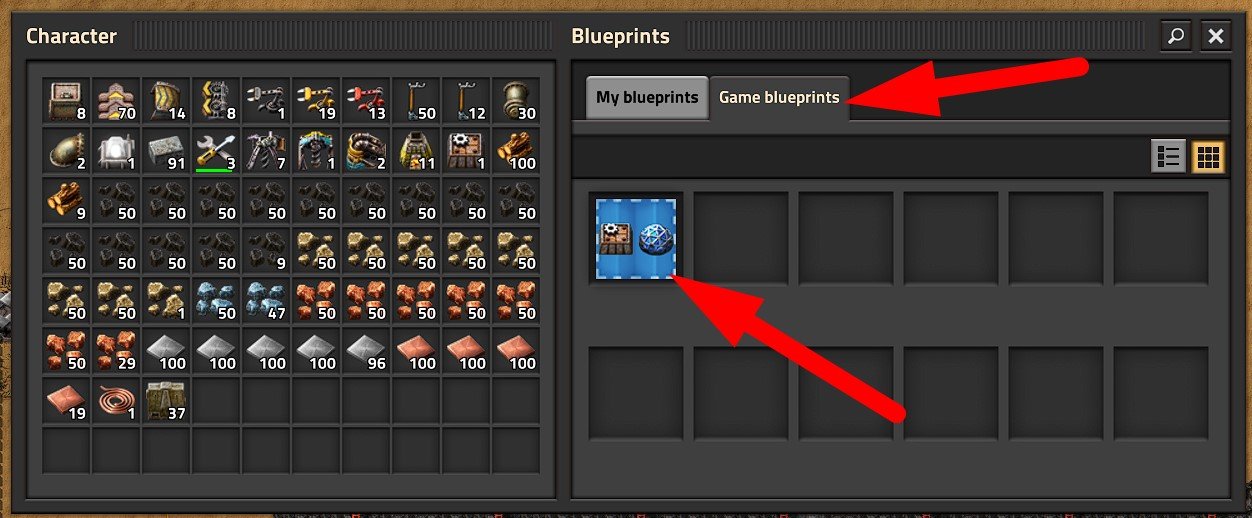
There are 2 tabs available in the Blueprint Book:
- Game Blueprints – these are blueprints that will be displayed in this tab only if they were created in this game or added to it through import.
- My Blueprints – these are general blueprints for all games. If you save a blueprint in this tab, it will also be available when you start a new game.
How to Create a Blueprint and Save it in the Book
To create a new blueprint, press the “ALT + B” key combination or the corresponding button on the side panel. A blue blueprint icon will appear next to the cursor.
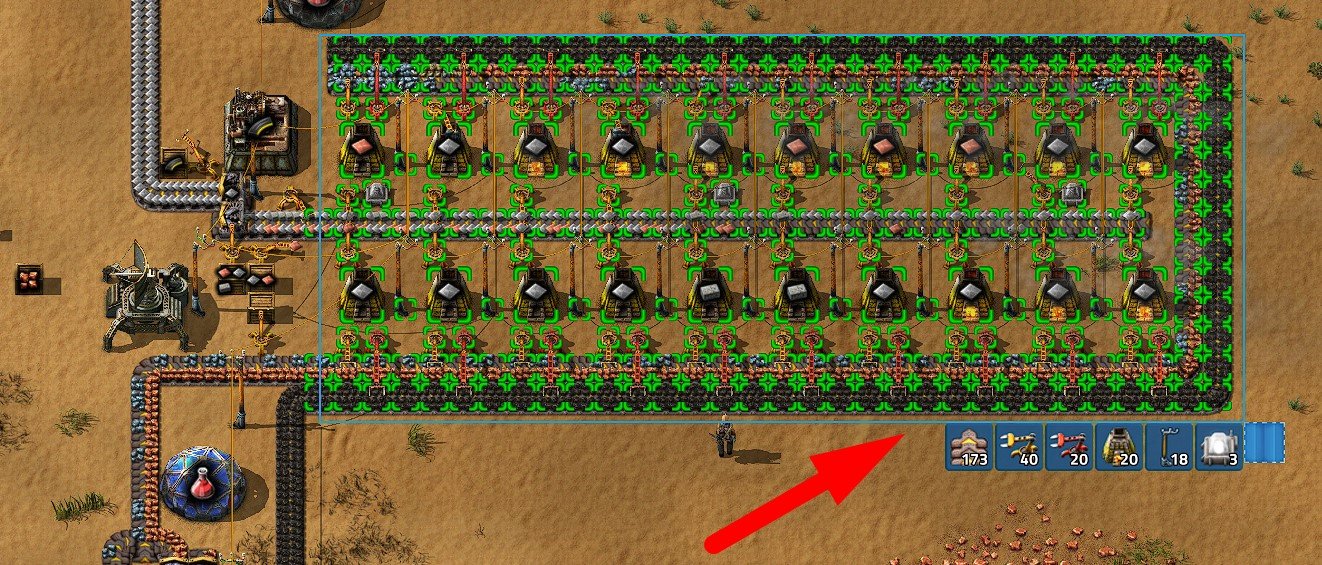
Now you need to select the rectangular area that you want to save as a blueprint. For example, in the screenshot above, a basic smelting workshop is selected. As soon as you release the LMB, a blueprint creation window will appear. If you selected something incorrectly – no problem, just cancel the operation.
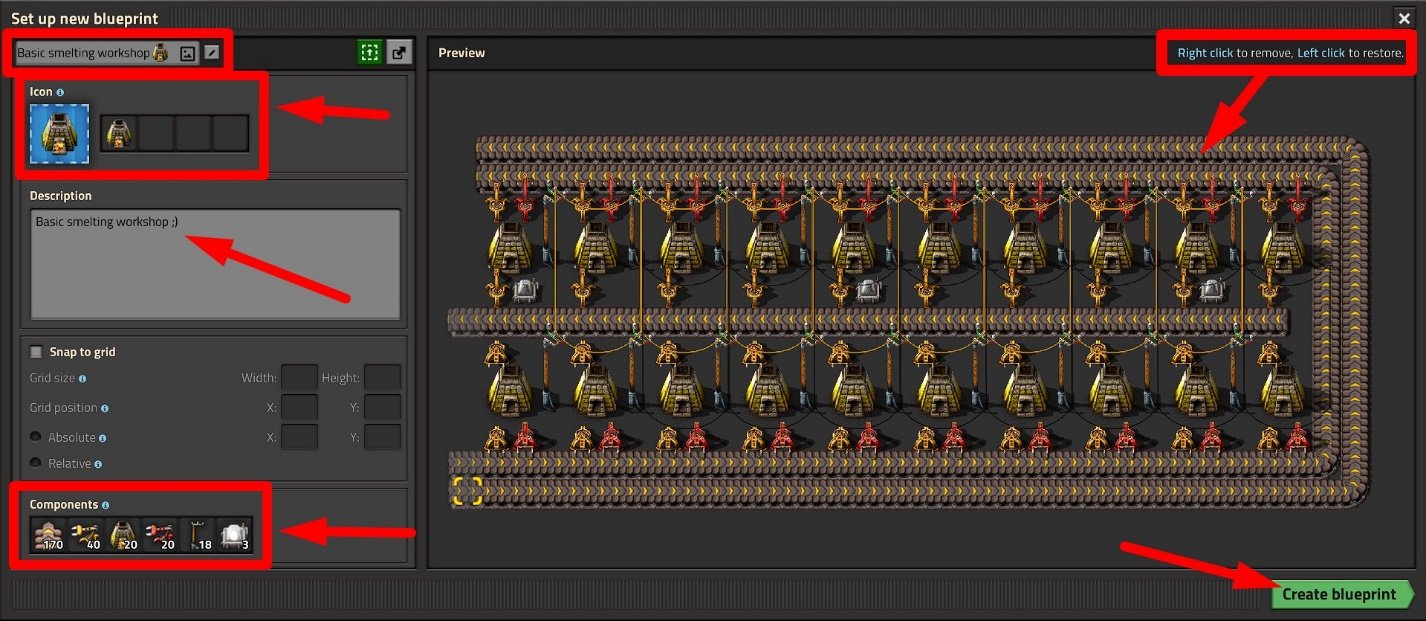
In the blueprint creation window, you can adjust it by specifying the necessary grid size and absolute reference point. You can also give the blueprint a name, a description, and choose an icon.
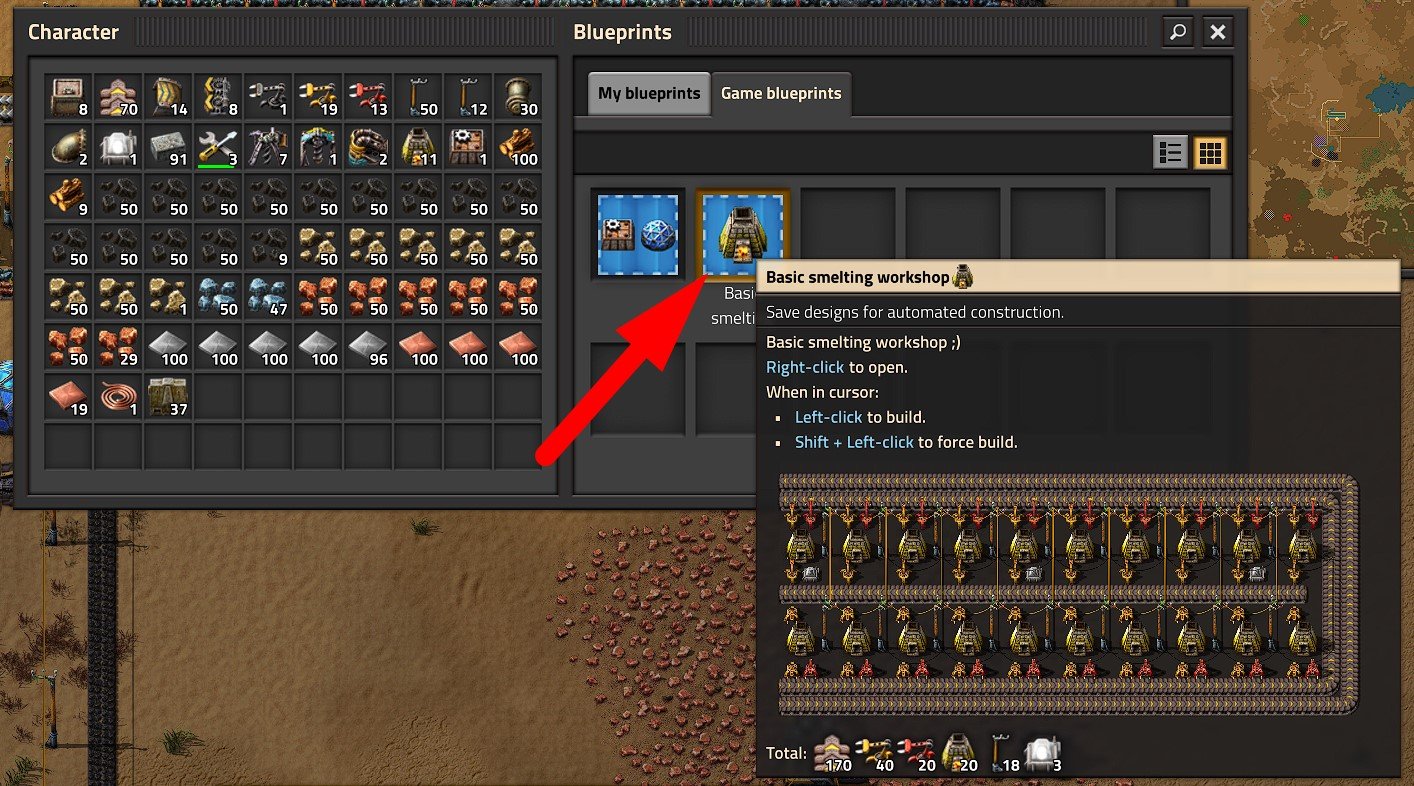
Then click the “Create Blueprint” button and place the blueprint in your inventory or in the Blueprint Book (B) in one of the free cells.
How to Create a Blueprint Book
You can also create a new blueprint book. This is necessary for convenience. For example, if you have hundreds of different blueprints, it makes sense to sort them into different books to avoid confusion.
-
If you have already researched Construction Robotics technology, click on the “Blueprint Book” icon on the quick access panel. If not, then go to Settings → Controls and in the “Tools” section assign a hotkey for creating a Blueprint Book (for example, Alt + Shift + B).
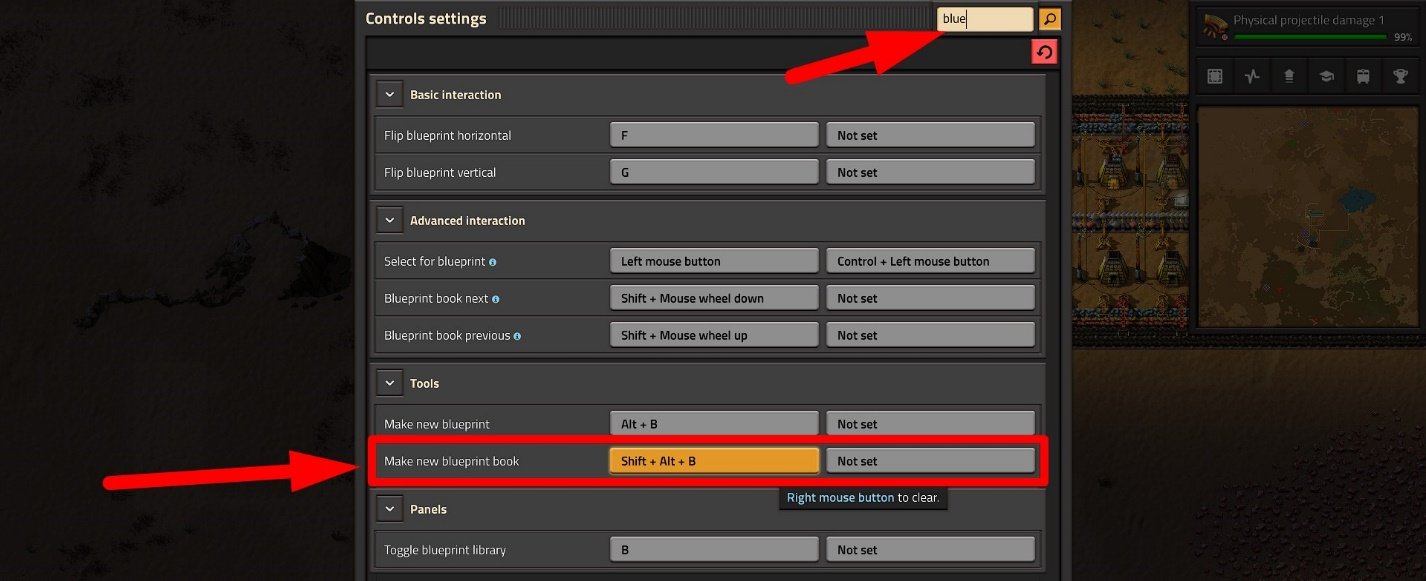
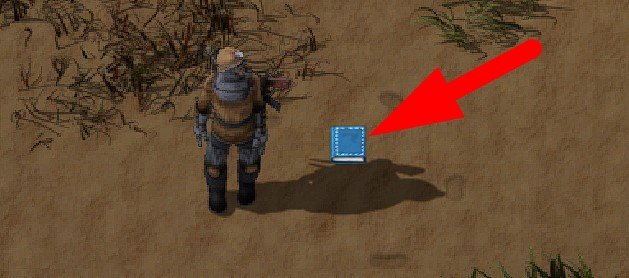
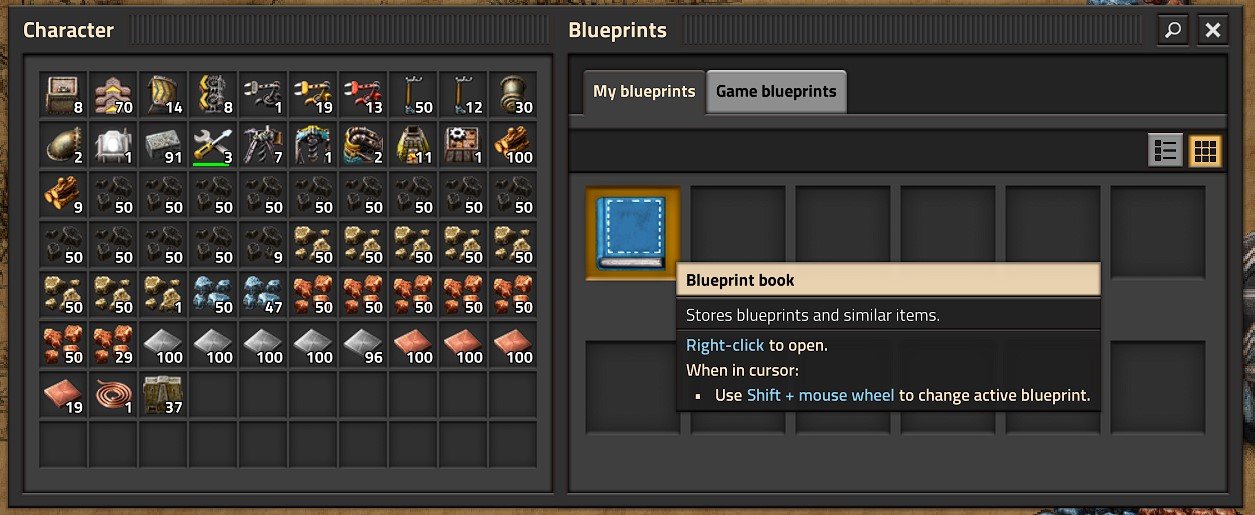
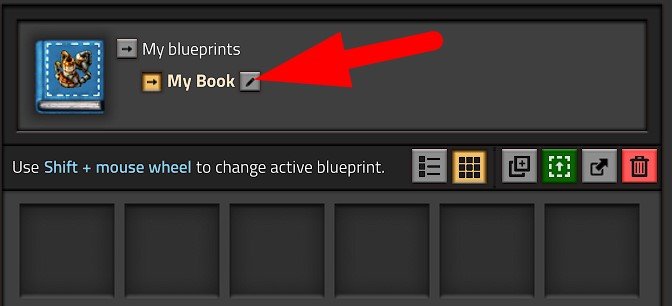
Now you can open this book with the right mouse button, rename it to your liking, add a description, select an icon, put the necessary blueprints into the book.
It is not recommended to store Blueprint Books and Blueprints themselves in the inventory! In case of character death, they can be lost. Use the special interface.
How to Create a Deconstruction Planner
The Deconstruction Planner is a tool that allows you to specify a rectangular area that will then be demolished by drones if there are active drone stations within reach.
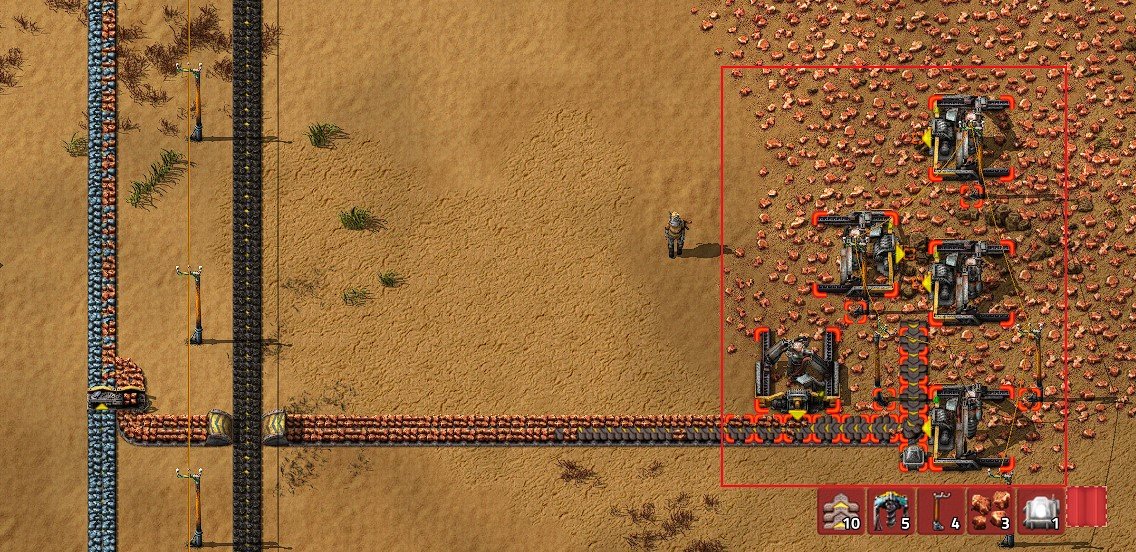
To create a deconstruction planner, click on the red icon to the right of the quick access panel or press “ALT + D“. A red blueprint icon will appear next to the cursor. Highlight the unnecessary objects on the map in a rectangular area – they will immediately stop functioning, and the drones will start the demolition.
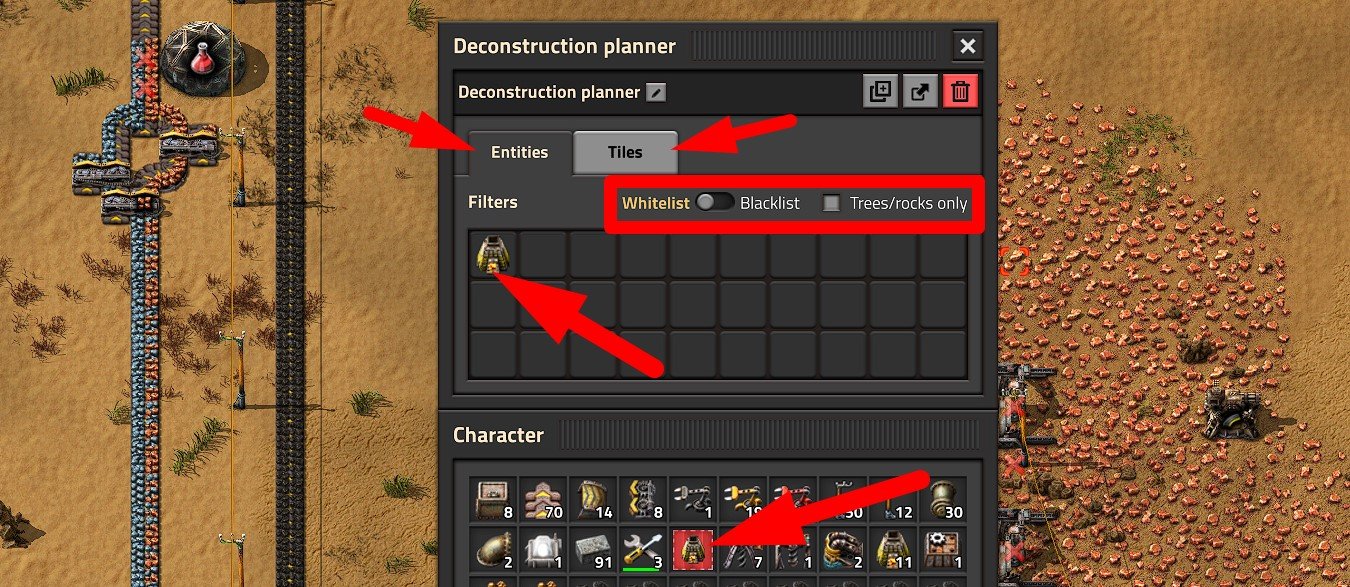
The Deconstruction Planner also allows for selective demolition of objects using filters. Open the inventory with the “B” key and place the Deconstruction Planner in a free cell. Then open the Deconstruction Planner itself with a right mouse click.
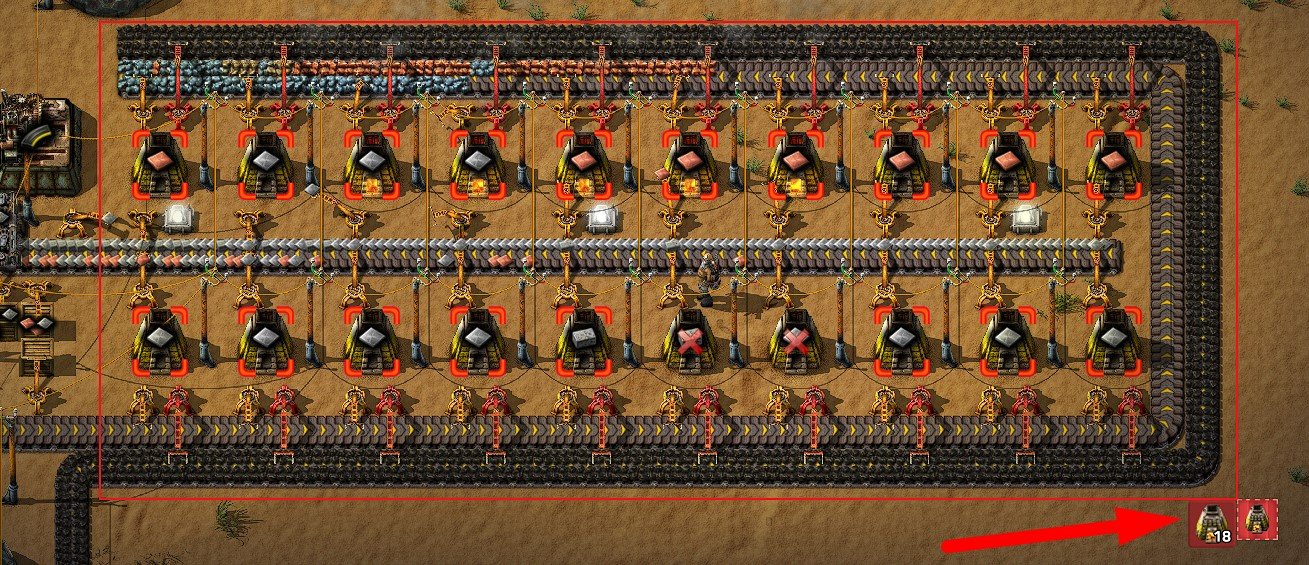
You can specify Entities and Tiles that the Deconstruction Planner will or will not mark for demolition. For example, I only indicated Stone Furnace, so when highlighting any area with this Deconstruction Planner, only Stone Furnace will be marked.
How to Use the Upgrade Planner
The Upgrade Planner allows you to mark items that should be replaced with more advanced versions. For instance, if you have a setup using basic yellow transport belts, and you want to quickly upgrade them to the more efficient red transport belts.
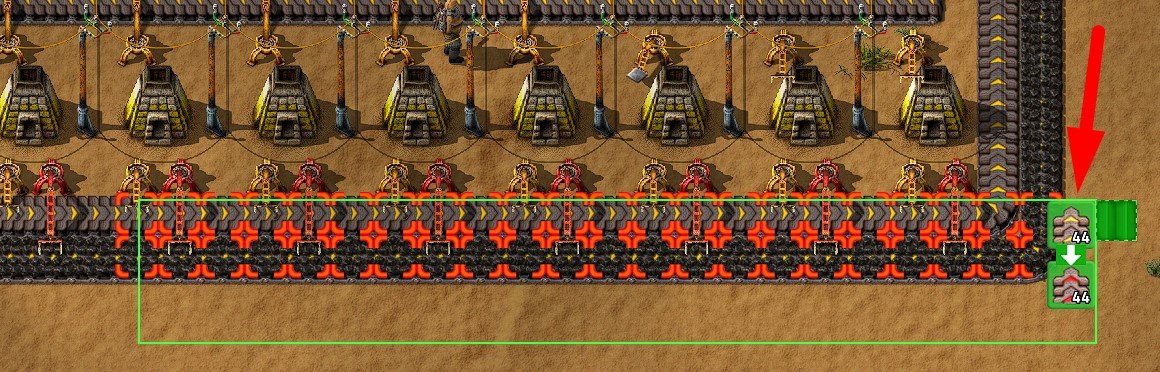
Click on the “Upgrade Planner” icon to the right of the quick access panel or press “ALT + U“. A green blueprint icon will appear next to the cursor. Highlight the area with items that need upgrading.
If more advanced versions of the selected items are available in the logistics network (e.g., a chest with red transport belts), drones will immediately start their work. However, it’s important to remember that when using the Upgrade Planner in this way, items will be upgraded sequentially: a yellow transport belt will be replaced by a red one, not directly by a blue one (the best).
However, if you want to replace any items with higher-tier alternatives, you need to manually adjust the Upgrade Planner.
- Create an empty Upgrade Planner and place it in the Blueprint Book.
- Open the created plan with the right mouse button.
- In the “From” field, specify the items to be replaced (for example, yellow transport belts).
- In the “To” field, specify the items on which the selected ones will be replaced (for example, blue transport belts).
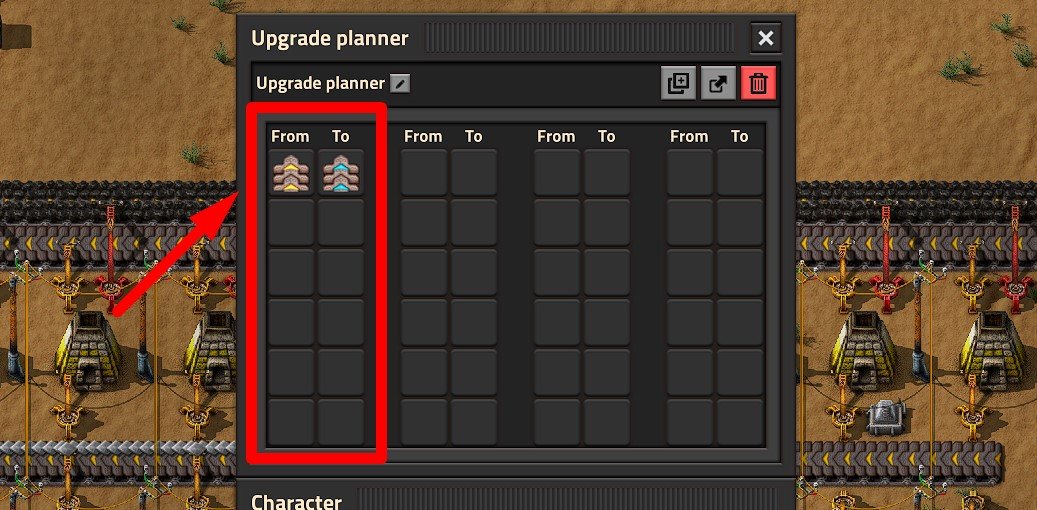
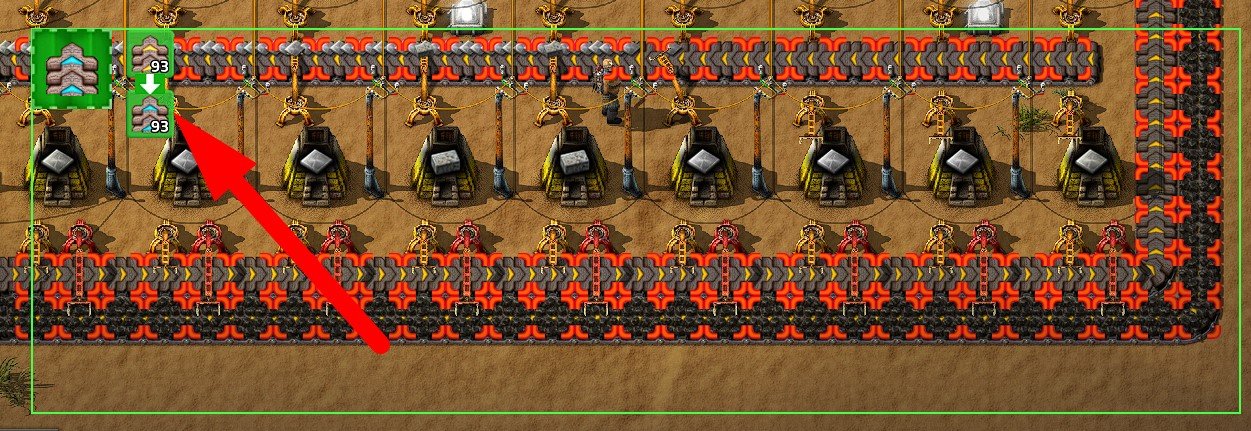
The rest will be handled autonomously by the drones.
How to cancel upgrading / deconstruction / building of objects?
If an object is marked for upgrading, deconstructing, or you have placed any blueprint on the map but have not yet built it, you can cancel the last action by pressing Ctrl + Z.
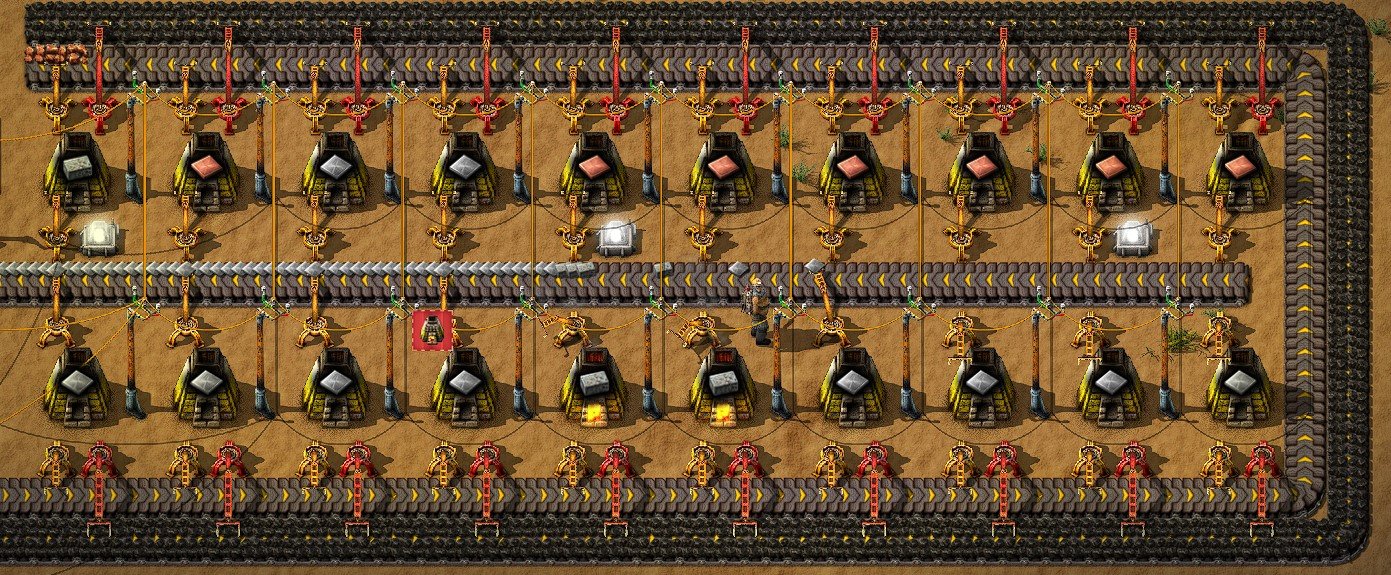
You can also select the Upgrade Planner or Deconstruction Planner and reselect the marked objects, but now with the Shift key held down. The selected objects will no longer be marked.
To make the blueprint / Upgrade Planner / Deconstruction Planner icon disappear and not follow the cursor, simply press the “Q” key. In this case, the item will not be saved.
How to delete a Blueprint / Blueprint Book / Upgrade Planner / Deconstruction Planner
The deletion procedure is the same for all elements.
- Open the blueprint / book / planner with the right mouse button.
- Click on the “Delete” icon.
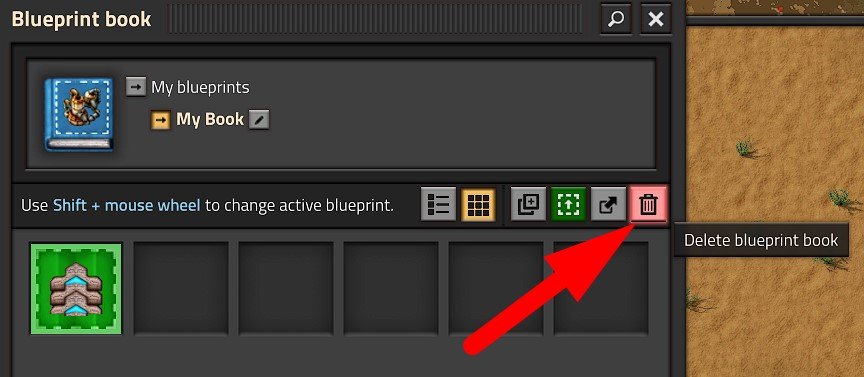
Be careful! Even if you have saved the game and then deleted the blueprints, they cannot be restored.
Export and Import Blueprints
If you want to save a blueprint in digital format outside of the game or pass it to another person, you should use the export / import function.
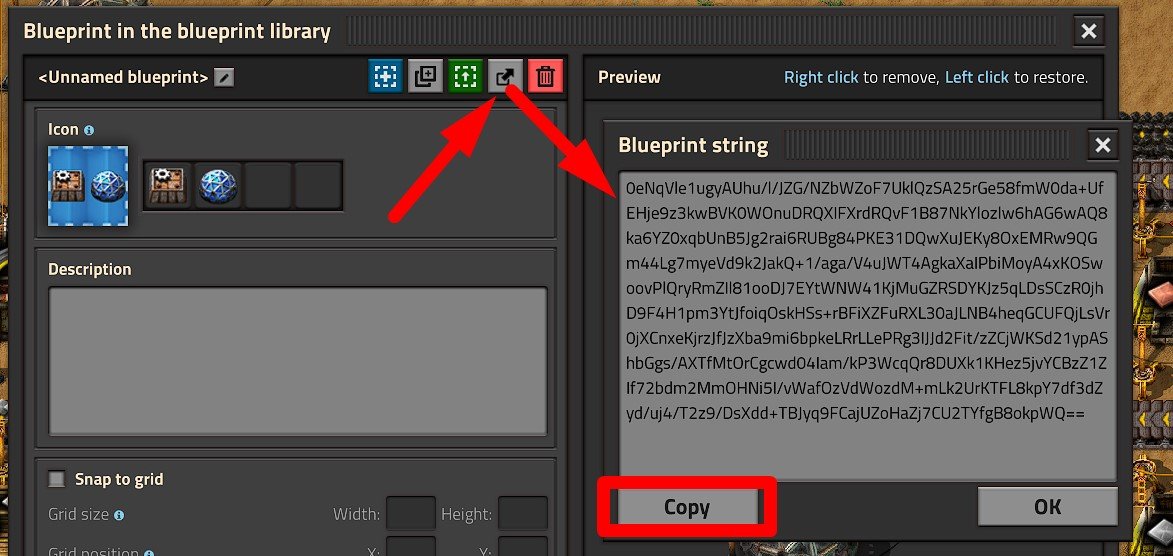
Any blueprint / planner / book in Factorio can be exported as a string. To do this, open the blueprint / planner / book with the right mouse button and click on the corresponding button with the arrow “Export to string” (next to the delete button). After this, a window will appear where you can copy the export string. It is an incomprehensible set of symbols.

To import ready-made blueprints into the game, you will need the Construction Robotics technology studied. To the right of the quick access panel, click on the “Import String” button.
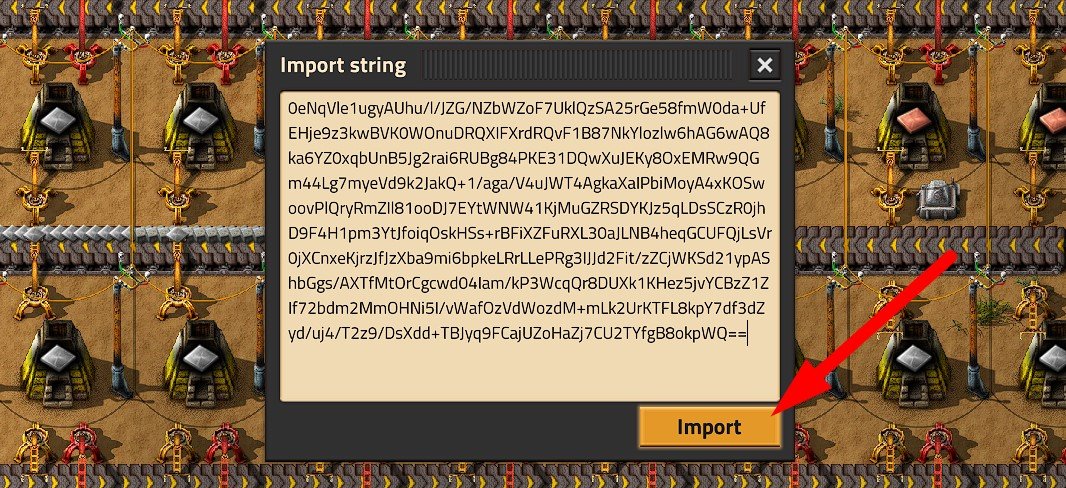
In the window that opens, you need to paste the string and click “Import”. After this, open the inventory and put the blueprint in a free cell. The import is complete.
Ready-Made Blueprints for Factorio
A lot of ready-made blueprints for Factorio can be obtained on the factorioprints.com website. Simply choose the desired blueprint and copy the import string, then import the blueprint using the instructions above.
alt=»Flag of UA» width=»24″ height=»18″ />Kianl 0
Professional gamer, YouTube blogger, web developer, individual entrepreneur. I live and work in Ukraine. My first serious game was Lineage 2 Interlude back in 2008 (or thereabouts). Studying game mechanics is my direct responsibility, as I must competently teach newcomers. I have no interest in going through the same boss 10 times and looking for its vulnerabilities. But, as they would say in France, c’est la vie. All for you, guys.
Factorio Tutorials: Как импортировать строки чертежей
Factorio от Wube — одна из самых популярных и захватывающих игр в Steam, которая позволяет вам строить и поддерживать собственные фабрики. В этой игре часто забывают концепцию Blueprints. Это полезная система, которая при правильном использовании может помочь вам строить фабрики быстрее и без особого стресса.
И теперь недавно представленная функциональность Blueprint 0.15 позволяет вам импортировать настройки Blueprint непосредственно в ваш глобальный каталог Blueprint. Теперь мы покажем вам, как импортировать строки Blueprint в Factorio.

Как импортировать строки чертежей в Factorio
Прежде всего, желательно, чтобы ваши строки Blueprint хранились в безопасном месте, например на Google Диске, где вы можете легко получить к ним доступ. Также удобно иметь имена и правильно отсортировывать их. Дважды щелкните Blueprint, который вы хотите импортировать, и вы увидите, что его строки появятся на вашем экране. Скопируйте это, нажав Ctrl + A (Выбрать все) и Ctrl + C (Копировать).


Теперь вернитесь в Factorio и перейдите в папку Blueprints. Вы можете сделать это, нажав B или выбрав соответствующий значок в своей библиотеке. Перейдите в область «Мои чертежи», нажмите кнопку «Импортировать строку» и вставьте скопированные строки в указанное место, нажав Ctrl + V. Нажмите «Импорт», и вы увидите, что на вашем курсоре появится Blueprint. Поместите его в свою библиотеку или выньте и поместите на землю в своей игре.
Мы надеемся, что наше руководство поможет вам импортировать строки Blueprint в Factorio. Теперь с черт возьми наш Руководства по Windows , Руководства по играм , Руководства по социальным сетям , iPhone , а также Руководства по Android чтобы узнать больше. Однако если есть y запросы или отзывы, оставьте комментарий, указав свое имя и адрес электронной почты. Мы постараемся ответить в ближайшее время. Также подпишитесь на нашу YouTube канал смотреть потрясающие видеоролики об играх, а также советы и рекомендации для смартфонов. Спасибо.
Анубхав Рой — студент, изучающий информатику, который проявляет огромный интерес к миру компьютеров, Android и других вещей, происходящих в мире информации и технологий. Он обучен машинному обучению, науке о данных и является программистом на языке Python с Django Framework.
Как импортировать чертежи в факторио


Factorio
5 ноя. 2020 в 8:51
28 ноя. 2020 в 14:14
Нашел на просторах интернета
"Эта функция расположена среди кнопок внизу, справа от горячей панели.
Если он сейчас пуст, это означает, что вы еще не разблокировали его (это одноразовая разблокировка), исследуя технологию строительного робота.
Вы также можете ввести/вставить это в консоль, чтобы разблокировать кнопки ранее (это не отключает достижения):
/unlock-shortcut-bar
"
Работает, пользуйся
Как импортировать чертежи в факторио
Reddit and its partners use cookies and similar technologies to provide you with a better experience.
By accepting all cookies, you agree to our use of cookies to deliver and maintain our services and site, improve the quality of Reddit, personalize Reddit content and advertising, and measure the effectiveness of advertising.
By rejecting non-essential cookies, Reddit may still use certain cookies to ensure the proper functionality of our platform.
For more information, please see our Cookie Notice and our Privacy Policy .